
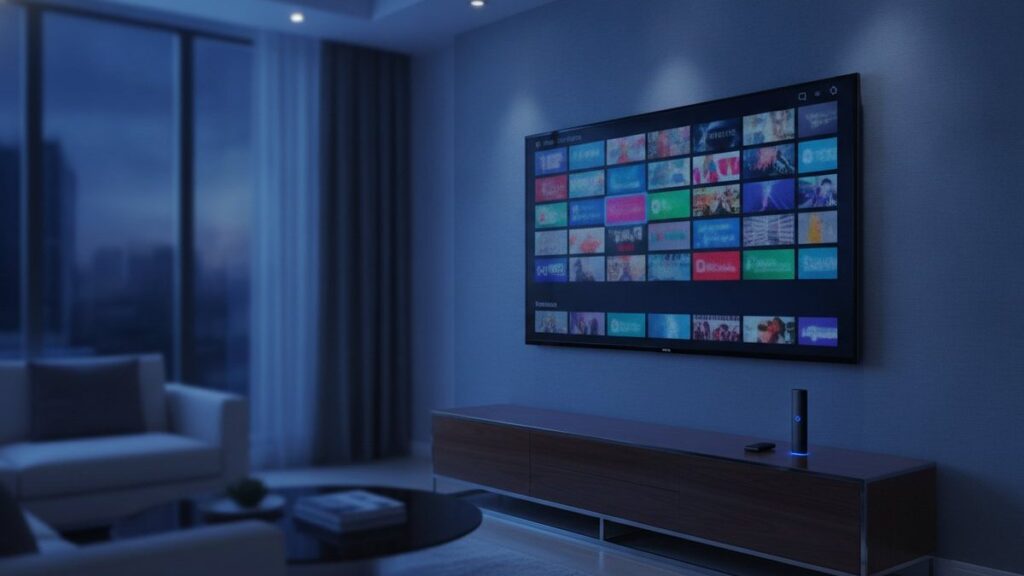
IPTV is television delivered over the internet connection your household already pays for, instead of a satellite dish, a cable or an aerial. A player app on each screen holds a login, and channels arrive as data. This guide is written for a house rather than a single viewer, because that is where most of the practical questions come from.
The short answer
Broadcast pushes every channel to everybody continuously. IPTV sends one channel to one viewer, on request. That single difference is why several people in one house can watch entirely different things at the same time, and why the number of simultaneous streams becomes the decision that matters.
What is IPTV and how does it work?
IPTV sends television as internet data to one viewer at a time, on request. A player opens a connection to a server, which delivers the chosen channel in small numbered chunks. The app collects a few seconds ahead of what is on screen, then plays from that reserve while continuing to download.
That reserve is the buffer, and nearly every complaint traces back to it. While it stays full, the picture is perfect. When the connection dips, when another screen in the house starts streaming, or when the server is carrying more viewers than it comfortably can, the buffer drains faster than it fills, and playback stops the moment it empties.
The useful consequence is that each stream is separate. Nothing about one television watching the news constrains another watching football, beyond the bandwidth they share and the number of streams the plan permits.
How is IPTV different from cable?
Cable broadcasts every channel to every subscriber continuously, and the box simply selects one. IPTV requests a single channel and receives only that. The practical consequence is that IPTV needs no infrastructure installed in your home, but it does depend entirely on the quality of your internet connection.
The commercial consequences matter more to most families. There is no installation appointment, no rented box per room, no line rental and no minimum term, because there is nothing physical whose cost has to be recovered. That, rather than anything clever in the technology, is why IPTV undercuts cable so heavily.
The honest trade-off is reliability. Cable rarely fails and degrades gracefully. IPTV is only ever as good as your broadband and your provider’s capacity on the evening everyone wants to watch.
How many people can watch at once?
As many as the plan allows, typically between one and five simultaneous streams. Each is independent, so one person can watch a match downstairs while another watches a film upstairs and a third uses a tablet. Installing the app on extra devices is unlimited; only concurrent playback is capped.
This is the single most misunderstood part of buying IPTV, and the one that generates the most disappointment. People count the televisions they own and buy accordingly, when the number that matters is how many screens might be running at the same moment. Two televisions used at different times of day need one stream between them.
| Household | Streams needed |
|---|---|
| One or two people who watch together | 1 |
| Couple who often watch separately | 2 |
| Family with children | 3 |
| Larger or multi-generational household | 5 |
What equipment does each screen need?
Something capable of running an app, and nothing more. A smart television, a Fire TV Stick, an Android box, a phone, a tablet or a computer all qualify. There is no dish to mount, no cable box to rent per room and no engineer visit to arrange for any of them.
Most households already own enough for two or three screens without buying anything. Where a television is too old to run apps, a Fire TV Stick at roughly $30 to $60 solves it, and buying two or three sticks is generally cheaper than one premium box. Roku is the awkward exception, since it blocks sideloading and carries very few IPTV players in its store.
Our setup guides cover thirteen devices and apps individually, each tested on the actual hardware.
What internet speed do you need?
Roughly 25 Mbps for a single HD or 4K stream, rising to about 50 Mbps once two or three screens run together. Stability matters considerably more than the headline figure, which is why a wired connection to the main television often beats faster but congested Wi-Fi.
In a busy house the arithmetic is what catches people out. One 4K stream is comfortable on most modern lines; two 4K streams plus a tablet is a different proposition entirely. The simple fix is to leave 4K on the large living-room television and let the smaller screens run HD, which looks identical at those sizes and uses roughly a quarter of the data.
Can everyone watch in their own language?
Yes, and for many households this is the main reason to switch. A single subscription here carries channels from 60+ countries, so the same account can serve English, Arabic, Spanish, French, Turkish, Hindi and more without anyone needing a second service or a second bill.
Cable packages tend to treat international channels as an expensive add-on, if they offer them at all. That is the gap IPTV fills most obviously in multilingual homes, where one person wants domestic news in their first language and everyone else wants the local networks.
The channel list is searchable by country and genre precisely so you can check for the specific channels each person cares about before paying anything.
What channels do you actually get?
The major national networks, a broad set of sport, news, film and children’s channels, and international packages grouped by country. On TrimixIPTV that comes to 25,000+ live channels from 60+ countries, with 120,000+ films and series available on demand alongside them.
Treat every published channel count, ours included, with healthy scepticism. Nothing prevents a provider counting dead entries, duplicates and regional variants of the same feed. A list of thirty thousand channels containing none of the six your household actually watches is worth nothing at all.
Work in the opposite direction instead. Write down the handful of channels each person would miss, search those specific names, then confirm during a trial that they play rather than merely appearing in a menu.
What is an Xtream Codes login?
Xtream Codes is the login format nearly every IPTV app understands. Instead of one long link you enter three items: a server URL including its port, a username and a password. The same three work on every screen in the house, so adding a television later needs nothing new.
The alternative is an M3U playlist link, a single URL with your credentials inside it. Older players and VLC accept that; most modern apps prefer the Xtream login because it also carries the programme guide and on-demand sections automatically. Both are covered in the Xtream Codes guide.
One practical warning worth passing on to everyone in the house: the M3U link contains your username and password in plain sight. Anyone it is forwarded to can stream on your account and use up your screens.
Why does IPTV buffer?
Because the player has run out of buffered data and is waiting. The cause is your connection dipping, another screen competing for bandwidth, or the provider’s server being overloaded at that moment. It is rarely the channel failing, which is why the same channel often plays perfectly an hour later.
Diagnosing it is straightforward once you know the pattern. If every channel stutters at once, suspect your connection or Wi-Fi. If one channel struggles while others are flawless, that server is busy. If it is fine at midnight and unwatchable at eight, the provider has not sized its capacity for peak demand.
The household-specific case is worth adding: if problems appear only when someone else starts watching, the constraint is your own line rather than the service, and moving one screen from 4K to HD usually resolves it immediately.
The fixes worth trying, in order
- Move the main device onto Ethernet rather than Wi-Fi.
- Switch the player to hardware decoding in its settings.
- Drop the smaller screens to the HD copy of the same channel.
- Check whether another screen is streaming 4K at the same time.
- Test the same login on mobile data; if it works, your ISP is throttling.
Can I do IPTV myself?
You can run a player with a free playlist, and many people do. What is genuinely hard alone is keeping servers stable when several screens stream at once, maintaining accurate programme guide data, and replacing channels the moment they drop. Those three jobs are what a subscription pays for.
Free IPTV is not so much a scam as an unmaintained one. The playlists circulating on GitHub and Telegram are scraped from paid services and shared with thousands of people simultaneously. They work briefly, then the source blocks them or buckles. There is no guide, no support and nothing on demand, which matters most for whoever in the house is least willing to troubleshoot.
How much does IPTV cost?
Credible providers charge between $10 and $20 a month for a single stream, falling to roughly $5 to $8 on annual plans. Multi-screen plans cost more but far less than separate subscriptions: three simultaneous screens for a year costs considerably less than three individual accounts.
Length is where the saving sits. A month costs more per month than a year everywhere, because activation and support cost the same regardless of how long you stay. Our pricing page sets out every tier, and the fuller breakdown is in the guide to what IPTV actually costs.
Is IPTV legal?
The technology is entirely legal, and it is exactly how Sling TV, YouTube TV, Hulu Live and most telephone-company television packages are delivered. Legality depends on whether an individual provider holds distribution rights for the channels it carries. The delivery method carries no legal weight whatsoever.
Enforcement in the United States overwhelmingly targets operators and sellers rather than viewers. In the United Kingdom, courts issue dynamic blocking orders obliging internet providers to block server addresses. Our guide to IPTV legality covers the position properly.
What does a household actually gain?
One bill instead of several, channels in more than one language, and the ability for different people to watch different things without negotiating. Set against a cable package that serves one viewer well and everyone else adequately, that is usually the deciding factor.
It is worth being clear about what is not gained. IPTV does not replace Netflix or Disney+, which remain separate services with their own accounts. What it replaces is the expensive live-television part of the bill, and it does so while covering countries a domestic cable package will not touch.
How do you get started?
Take a trial, install a player on the screen your household uses most, and enter the login. Then let everyone loose on it before you pay. The whole process takes under fifteen minutes of actual work, and the rest is other people deciding whether they like it.
That last part is the step worth taking seriously. You are not really testing picture quality; you are testing whether the channels each person cares about are present and working at the hours they watch. If you want to try that here, the free 24-hour trial is a complete account and needs no card.
Frequently asked questions
What is IPTV and how does it work?
IPTV delivers television over an ordinary internet connection instead of a cable or dish. A player app on each screen holds one shared login, opens a connection to a server, and receives the chosen channel as data, buffering a few seconds ahead as it plays.
How many people can watch IPTV at once?
As many as your plan allows simultaneous streams, commonly one to five. Every stream is independent, so different people can watch entirely different channels. Installing the app on extra devices is unlimited; only concurrent playback is capped by the plan.
What equipment does each screen need?
Something that runs an app: a smart TV, Fire TV Stick, Android box, phone, tablet or computer. There is no dish, no cable box per room and no engineer visit. Most households already own everything needed for at least two or three screens.
What internet speed do I need for IPTV?
About 25 Mbps for one HD or 4K stream, and nearer 50 Mbps once two or three screens run together. Stability matters more than the headline number, so a wired connection to the main television usually beats faster but congested Wi-Fi.
Why does IPTV buffer?
Because the player ran out of buffered data. Either the connection dipped, another screen in the house is competing for bandwidth, or the provider's server is overloaded. It is rarely the channel itself failing, which is why it often works again an hour later.
Is IPTV legal?
The technology is entirely legal and is how Sling TV, YouTube TV and Hulu Live deliver television. Legality depends on whether a provider licenses the channels it carries, not on the delivery method, which carries no legal weight of its own.
Want to see it running first?
Take the 24-hour trial, or order on WhatsApp and have your login inside under 15 minutes. Refundable for 7 days either way.
Related articles
Best IPTV Box in 2026: Kitting Out More Than One Room
Which device belongs on the main television, what the other rooms actually need, and why most households should spend nothing at all.
September 4, 2026Best IPTV Apps in 2026: Which Player for Which Screen
Which player belongs on which screen, what each costs, and why running two different apps across a house is normal rather than…
September 2, 2026What IPTV Really Costs a Household in 2026
What IPTV genuinely costs once a household needs more than one screen, why annual plans are cheaper, and which price points should…