
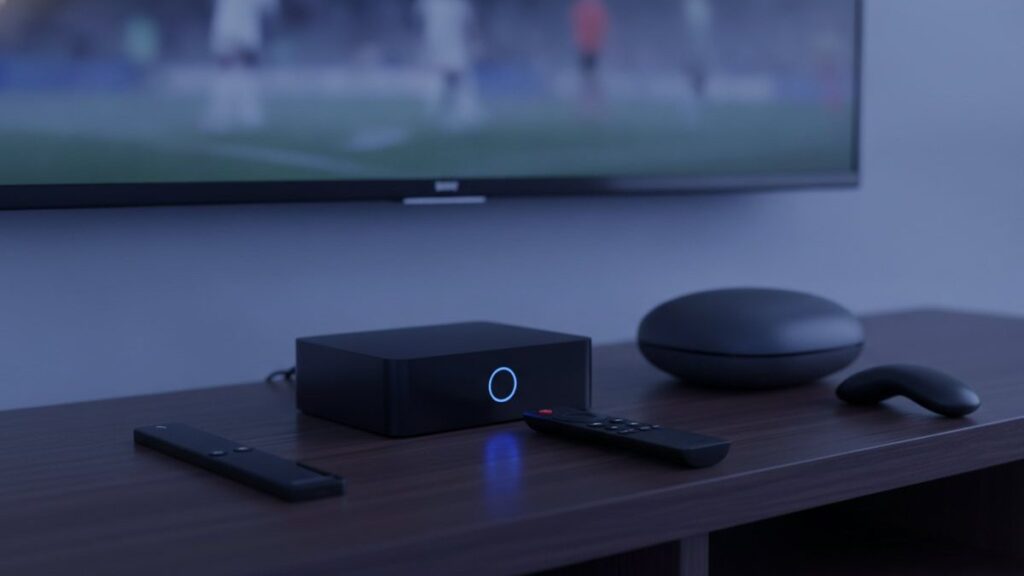
Most households reading this need no new hardware at all. If your televisions were made in the last few years, or you already own a streaming stick, you have what IPTV requires. This article is about the cases where new hardware helps, and about how to equip several rooms without overspending.
The short answer
Buy nothing for any television that already runs apps. Buy a Fire TV Stick 4K Max for anything that does not. Buy a Formuler or MAG box only for a main television somebody watches every evening, and never buy one per room.
What does each screen need?
Something that runs an app, a share of a connection with about 25 Mbps per stream, and the household subscription. That is the whole list. There is no dish, no cable box per room, no installer appointment and no equipment rental for any of it.
The requirement is broader than people assume. Smart televisions from Samsung, LG, Sony, TCL and Hisense all qualify, as do streaming sticks, Android boxes, phones, tablets and computers. Roku is the single awkward exception, for reasons below.
What is the best IPTV box in 2026?
The Fire TV Stick 4K Max, for most rooms. It is inexpensive, handles 4K comfortably, and crucially permits sideloading, so any player including TiViMate can be installed. Nothing else combines those three qualities anywhere near the price.
The list price sits near $60, though it is discounted to $30 or $40 often enough that paying full price is rarely necessary. Wi-Fi 6E, 16GB of storage and a 2.0 GHz quad-core chip handle 4K without strain, and that storage is what lets you keep two players installed side by side.
Is one premium box better than several cheap sticks?
For a household, rarely. Three Fire TV Sticks cover three rooms for roughly what one premium box costs, and the picture each produces is identical, because the stream arrives at the same bitrate regardless of what requested it.
Where a better device genuinely helps is the experience around watching: how quickly the interface responds, how fast channels start, and how it copes with several apps installed. Those are real quality-of-life differences, but they are not picture quality, and they only matter on the screen somebody uses every night.
The sensible pattern in most houses is therefore one good device on the main television and inexpensive sticks elsewhere.
How much does it cost per room?
| Device | Price | 4K | Sideloading | Right for |
|---|---|---|---|---|
| Existing smart TV | $0 | Varies | No | Almost everyone |
| Fire TV Stick 4K Max | $30 to $60 | Yes | Yes | The default per room |
| Fire TV Stick Lite | $20 to $30 | No, 1080p | Yes | Bedrooms and kitchens |
| Chromecast with Google TV | $40 to $60 | Yes | Yes | Play Store over sideloading |
| Generic Android box | $40 to $90 | Usually | Yes | Avoiding Amazon’s interface |
| Nvidia Shield | $150 to $200 | Yes, HDR | Yes | Gaming and Plex too |
| Formuler Z11 Pro | $120 to $180 | Yes | Yes | A main TV used nightly |
| MAG box | $120 to $180 | Model dependent | Portal based | Portal setups, no apps |
Is a Firestick good for IPTV?
Yes, and it is the most common choice by a wide margin. It is cheap, handles 4K on the Max, and permits sideloading so TiViMate and IPTV Smarters both install without difficulty. The one model to avoid for a main television is the Lite, capped at 1080p.
It is not flawless. Space runs out quickly once a couple of players are on it, the home screen never stops advertising Amazon’s own content, and the aerial in older models is mediocre. A cheap Ethernet adapter fixes more evening stuttering than any combination of app settings, and it matters most in whichever room sits furthest from the router.
Can you get IPTV on Roku?
Only partly, and this is worth knowing before buying one for a house. Roku permits no sideloading whatsoever, and its store carries almost none of the established IPTV players. Screen mirroring works but introduces lag and ties up the phone doing it.
If you already own Roku televisions, do not replace them. Plug a $30 Fire TV Stick into a spare HDMI port and use the Roku set purely as a screen. That gives TiViMate, proper 4K and no mirroring delay for less than the cost of a month of cable.
What should you look for in an Android box?
At minimum 2GB of RAM, Android 9 or newer, and a manufacturer name you can actually find. The unbranded boxes sold cheaply on marketplaces frequently ship with outdated Android versions, no security updates, and occasionally software nobody asked for.
Insist on Ethernet as well. A wired connection is the single most effective fix for evening buffering, and it matters more the more screens a house runs. A box without a port removes that option permanently. Beyond those points, specifications matter surprisingly little, since decoding a stream is not demanding work.
Why does a wired connection matter more than the box?
Because live television is unforgiving about consistency in a way on-demand video is not. A buffer emptying for two seconds is invisible on Netflix and ruins a goal. Ethernet removes the largest source of that inconsistency, which is Wi-Fi contention between screens.
This is the most useful thing in this article and the cheapest. An Ethernet adapter for a Fire TV Stick costs a few dollars and does more than upgrading from a stick to a $200 box ever will. In a house with three screens running, wiring even the main one takes pressure off the rest.
Do you need a 4K device in every room?
No, and buying one is usually a waste. On screens below about 55 inches most people cannot reliably distinguish good HD from 4K at normal viewing distances, and HD uses roughly a quarter of the bandwidth, which matters when several screens run together.
The practical arrangement is 4K on the large living-room television and HD everywhere else. That keeps the picture right where it is noticed and keeps the connection comfortable everywhere else. The 4K IPTV page explains how to check what any given screen is actually receiving.
How long should a streaming device last?
Three to five years for a stick, longer for a box with more memory. What ends their life is rarely hardware failure. It is storage filling up, an app requiring a newer operating system, or the device simply becoming too slow to navigate comfortably.
That argues for buying modestly and replacing when necessary rather than future-proofing. A $40 stick replaced after four years costs less than a $200 box kept for six, and the replacement will be faster than anything available today. The exception is a Formuler or MAG unit, bought for the remote and the guide rather than raw specification, which ages more gracefully.
What about boxes sold preloaded with IPTV?
Avoid them. Devices advertised as preloaded or fully loaded typically bundle an unlicensed service of unknown provenance with hardware you could buy more cheaply on its own. You are paying a premium for software that will very likely stop working.
It happens reliably enough to be worth stating as a rule. Once the bundled subscription dies, which it does, what remains is an unremarkable box bought at a premium, with nobody to ask and nothing to reclaim. Buy the hardware from a normal retailer, choose the service separately, and either can be replaced without touching the other.
What should each room get?
| Room | What to buy |
|---|---|
| Main television, watched nightly | Formuler Z11 Pro, or a Fire TV Stick 4K Max |
| Second living space | Fire TV Stick 4K Max |
| Bedroom or kitchen | Fire TV Stick Lite |
| Any smart TV from recent years | Nothing |
| A Roku set | A Firestick in a spare HDMI port |
| Someone who also games | Nvidia Shield |
Does the device affect picture quality?
Only at the edges. The stream arrives at whatever bitrate the provider sends, regardless of what requested it. What hardware determines is whether it decodes that stream smoothly and whether it can output 4K at all. Beyond that, a $30 stick and a $200 box show the same picture.
Where better hardware helps is everything around the watching: interface responsiveness, how fast a channel starts, and how the device copes with several apps installed. Those are genuine differences, but they are not picture quality, and it is worth knowing which one you are paying for.
How many devices can share one subscription?
Install the app on as many as you like; the limit is on simultaneous streams, not installations. A three-screen plan can have the app signed in on six devices around the house, with any three of them playing at once.
That distinction shapes how you buy hardware. There is no per-device charge from us, so equipping a fourth room costs only the price of a stick. What would cost more is a fourth person wanting to watch at the same time as the other three, which is a plan decision rather than a hardware one.
What is worth spending money on?
In order: an Ethernet adapter for the main television, then a decent device for that same screen, then cheap sticks for everywhere else. That sequence fixes the most problems per dollar, and it is close to the opposite of how most people spend.
The instinct is to buy the best box first. In practice a $200 box on congested Wi-Fi performs worse than a $40 stick on a cable, because the constraint was never processing power. Fix the connection, then the hardware, and only then consider whether anybody actually needs 4K in the spare bedroom.
Should you buy anything before trialling?
No. Test the service on whatever you already own, even if that is only a phone or a laptop. Buying hardware for a subscription you have not yet evaluated is spending money to make a decision you could have made for nothing.
Least is wasted by going in this order: run the trial on a screen you already have, establish that the household actually wants it, and only then buy for the rooms where existing kit turns out to be the constraint. Reverse that order and you end up with a drawer of sticks bought for services nobody kept.
What if you get the screen count wrong?
It is easily fixed and costs only the difference for the remaining term, so there is no penalty for starting cautiously. Buy for the screens you know will run together, and move up if a fourth person starts competing for a stream.
Hardware is the same. Fit out the rooms that get used now rather than the ones that might, because sticks get cheaper and faster every year and there is nothing to gain from buying ahead. The pricing page covers the plan side, and the free trial costs nothing while you work out which rooms actually matter.
Will your existing devices work?
Almost certainly. Anything running Android TV, Fire OS, Tizen, webOS, iOS, tvOS, Windows or macOS has a working player available, and every one connects with the same household login. Roku is the only platform where the answer comes with genuine caveats.
The setup guides cover thirteen devices and apps individually, each tested on the actual hardware. If you are unsure whether something you already own will cope, the cheapest test costs nothing: take the free 24-hour trial and run it on that device before buying anything new.
Frequently asked questions
What is the best IPTV box in 2026?
For most rooms, a Fire TV Stick 4K Max: cheap, handles 4K, and open enough to sideload whichever player you want. Reserve a Formuler Z11 Pro for the set somebody sits in front of every night, and do not buy one per room.
What is the best streaming device for IPTV in the USA?
Again the Fire TV Stick 4K Max for most buyers. Nominally $60, it drops to $30 or $40 often enough that it is rarely worth paying full price. Wi-Fi 6E, 16GB of storage and a 2.0 GHz quad-core chip cover 4K comfortably.
How much does an IPTV box cost?
Per screen, anything from nothing to roughly $200, and nothing is the honest answer for most people. Reckon on $30 to $60 for a Fire TV Stick, $40 to $90 for a generic Android box, and $120 to $180 for Formuler or MAG hardware.
Is one premium box better than several cheap sticks?
Across a house, generally not. The money that buys a single premium box buys three Fire TV Sticks, and each produces the same picture, because bitrate comes from the stream rather than the hardware. One good device on the main set, sticks elsewhere.
Is a Firestick good for IPTV?
It is far and away the most popular choice, and deservedly. Cheap, 4K-capable on the Max, and open to sideloading, so TiViMate and IPTV Smarters both go on without trouble. The Lite model stops at 1080p, so keep that off the main television.
Can you get IPTV on Roku?
Partially, with caveats worth understanding first. Nothing sideloads onto Roku and its store stocks almost none of the serious players, which leaves screen mirroring as the fallback. Far simpler to put a Firestick in a spare HDMI socket and use the Roku as a display.
Want to see it running first?
Take the 24-hour trial, or order on WhatsApp and have your login inside under 15 minutes. Refundable for 7 days either way.
Related articles
Best IPTV Apps in 2026: Which Player for Which Screen
Which player belongs on which screen, what each costs, and why running two different apps across a house is normal rather than…
September 2, 2026What IPTV Really Costs a Household in 2026
What IPTV genuinely costs once a household needs more than one screen, why annual plans are cheaper, and which price points should…
August 31, 2026Is IPTV Legal? What the Law Targets, and What It Does Not
The technology is legal and completely mainstream. What varies is licensing. Who enforcement actually pursues, how blocking works, and what to read…